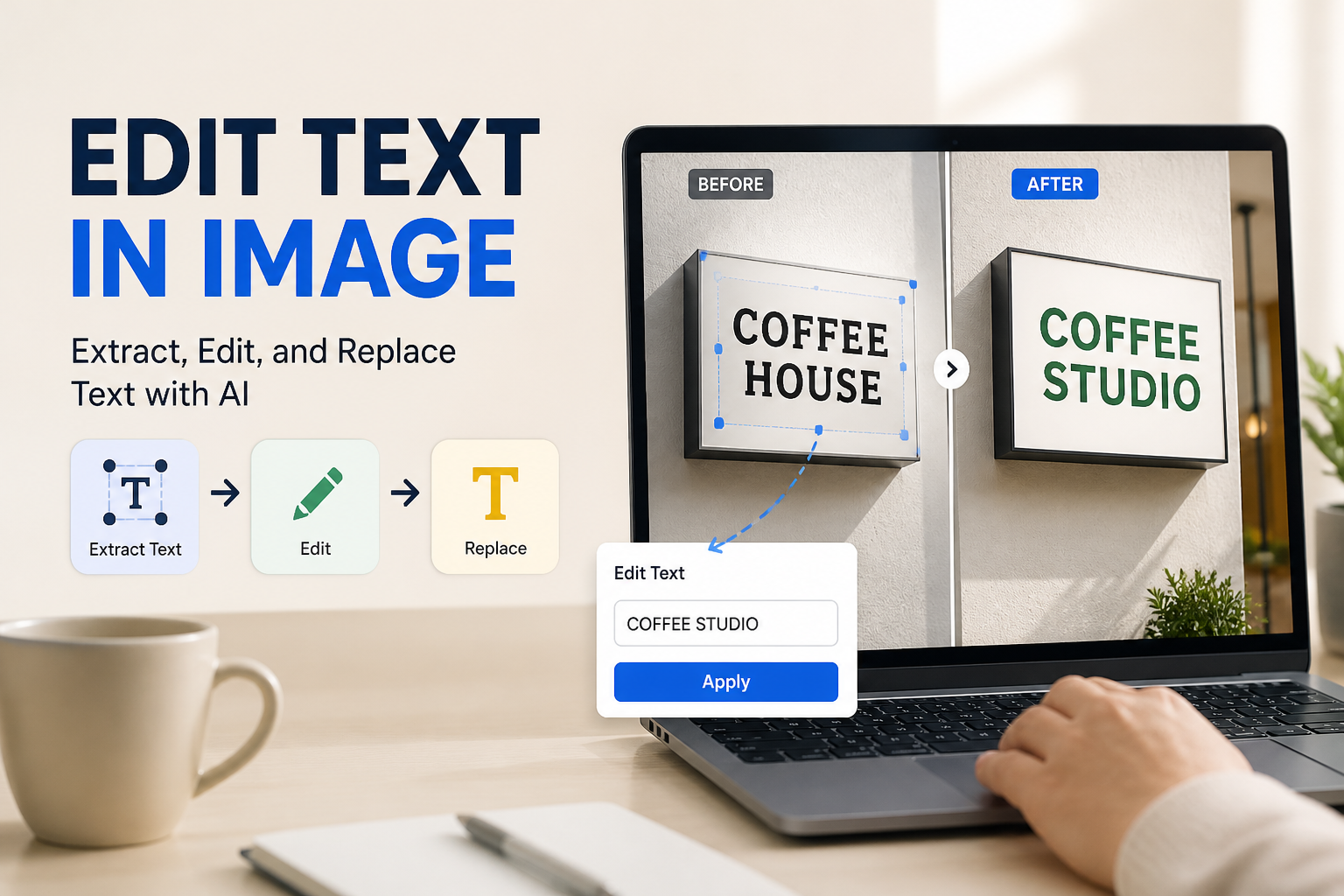

Preparing product imagery for a seasonal launch, localized campaign, or marketplace listing often grinds to a halt over small typographical details. You might have an otherwise flawless hero shot, but the packaging displays an old formula badge, a localized regulatory line for a different region, or promotional overlay text baked directly into a flat JPEG. Reshooting requires coordinating physical samples, booking studio time, and burning days you do not have, while manual clone-stamping frequently leaves smudged textures and visible pixel seams on pristine product surfaces.
Assessing the Commercial Visual Before Erasing Typography
Removing unwanted type from an e-commerce asset is not merely an erasing task; it is a surface reconstruction problem. How you approach the edit depends heavily on what sits directly underneath the letters:
- Flat Studio Backgrounds: Plain cycloramas and solid brand backdrops are the simplest to repair because color gradients and light falls are mathematically predictable.
- Curved Packaging and Metallic Finishes: Bottles, cosmetic jars, and foil pouches exhibit complex light falloff, specular highlights, and micro-reflections. Erasing typography here requires rebuilding the underlying curvature rather than simply smoothing over the boundary.
- Detailed Textures and Fabric Weaves: Apparel close-ups and textured consumer electronics feature repetitive surface micro-patterns. Inconsistent patches will immediately look synthetic to discerning online shoppers.
When Traditional Retouching Falls Short on Brand Imagery
Historically, creative teams relied on clone stamps, patch tools, or content-aware fill in traditional desktop editors. While these tools function reliably on random organic surfaces like sand or foliage, they struggle with commercial packaging and clean design elements. Standard sampling tools copy repeating pixels from nearby zones, often duplicating light highlights where shadows belong, or blurring the subtle grain that gives an object its material realism.
For e-commerce sellers managing dozens of stock-keeping units, manual retouching across multiple angles also creates workflow bottlenecks. A designer spending forty minutes per image to eliminate an outdated slogan from secondary packshots diverts critical hours away from higher-leverage creative development, such as campaign art direction or ad iteration.
Using AI Natural Language and Inpainting for Precise Cleanups
Modern visual generative platforms approach typography removal through generative inpainting. Instead of simply dragging pixels from adjacent coordinates, generative models interpret the surrounding physical structure—such as the matte finish of a paper box or the cylindrical shading of an aluminum can—and synthesize missing geometry that belongs in the context of the product.
When working within Rhinobird, this workflow is handled through prompt-guided visual adjustments. You upload the product photograph, select the region with the unwanted copy, and communicate your request using concise, natural language. For instance, instructing the editor to remove the white promotional text while preserving the brushed metal reflection ensures that the system repairs the substrate rather than flattening the visual into a dull monochrome patch.
- Isolate the Target Typography: Target only the bounding box of the letters or badge to prevent unnecessary modification of the surrounding packaging structure.
- Specify Substrate Context: In your text instruction, explicitly mention the underlying material—such as matte cardboard, amber glass, or smooth fabric—so the model understands what material to reconstruct.
- Inspect Lighting and Specular Integrity: After generation, examine the repaired area at actual display size to verify that reflection lines and gradients flow continuously across where the letters once stood.
Maintaining Quality Standards Across Channel Deliverables
Once type is removed, the asset must meet the technical criteria of its intended destination. A product thumbnail on Shopify or Amazon tolerates fewer visible edge artifacts than a fast-scrolling social post, because customers utilize hover-zoom to inspect packaging claims and ingredients before buying.
If you plan to lay new branding, translated foreign copy, or fresh promotional badges over the cleaned area, confirm that the reconstructed contrast remains balanced. Residual ghosting or uneven digital noise under newly placed type can cause legibility problems, particularly in high-density mobile viewports where typography must remain sharp and crisp.
Streamlining Post-Production Workflows for Growth Teams
Successfully removing text from product pictures comes down to preserving structural realism across complex textures, lighting gradients, and curved packaging surfaces. By moving away from tedious manual cloning and adopting natural-language generative cleanup, brand managers and creative teams can rapidly rescue legacy assets, localize packaging for regional storefronts, and prepare clean catalog visuals without scheduling costly reshoots. Rhinobird makes this transition seamless by allowing you to upload your commercial photography and describe precise element removals and color adjustments directly in natural language, keeping your product marketing assets polished, consistent, and ready for launch.